BSCW 5.0 (Beta)
Bonn, March 22nd, 2012
We would like to present a new version of the BSCW server software to you. With version 5.0 a new "major release" is coming up: it includes new features and software improvements and - reacting to your feedback - the mobile access to the system has been entirely revised. Read more about BSCW 5.0 or download the first public beta release.
Focus: Access BSCW while being on the road and in the office
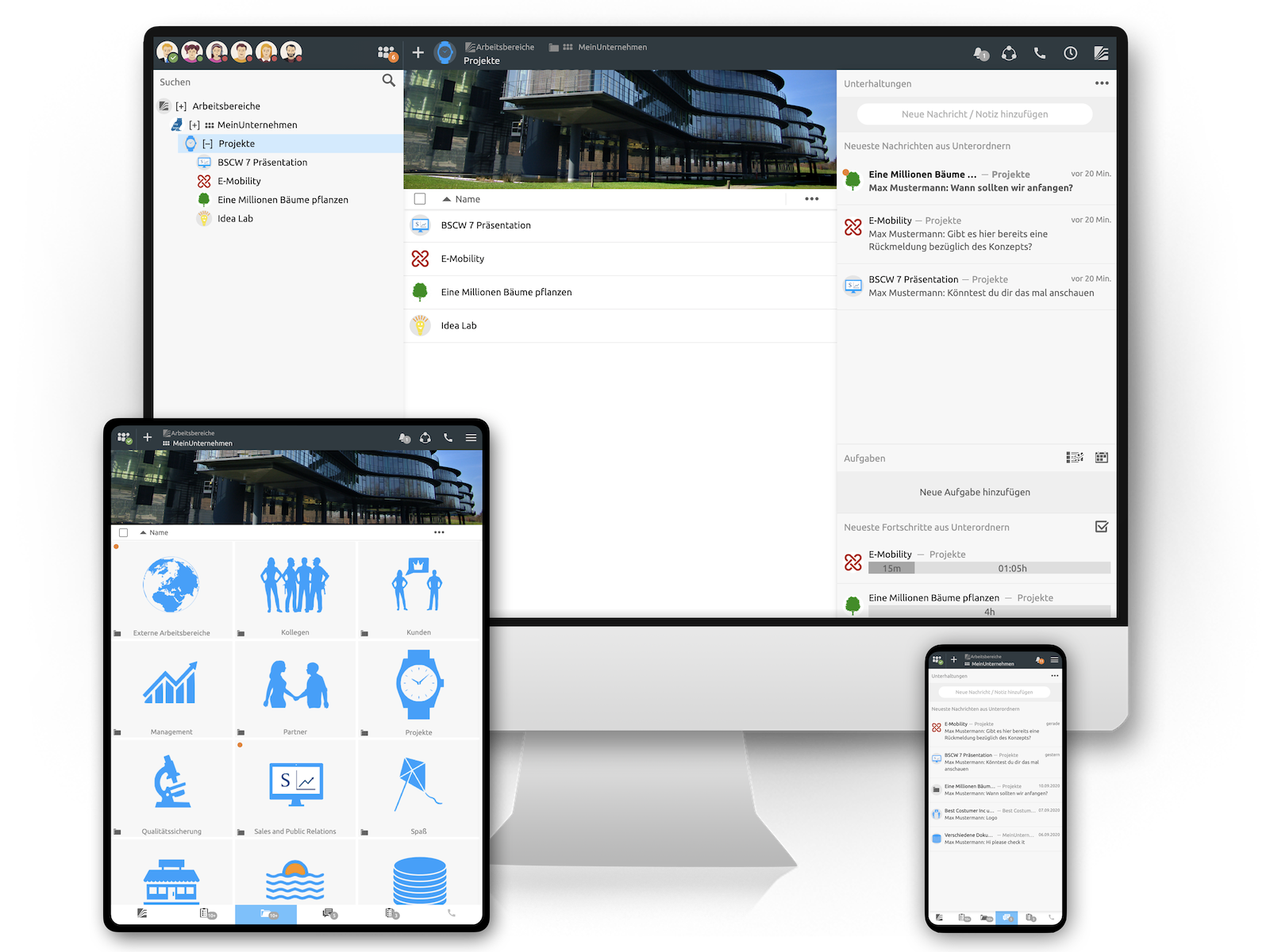
The central aspect of the new version is the easy access to content in BSCW from anywhere. Starting with version 5.0, BSCW offers two additional access methods besides the familiar comfortable web-based user interface, the mobile user interface and the desktop widgets. Ac¬cess to BSCW, whether being on the road and in the office, becomes even more efficient.
Mobile user interface
The user interface for mobile access has been completely rebuilt from scratch, focus-ing on support of advanced state-of-the-art smartphones (including iPhone and Android). The mobile user may now easily access all content stored in the system – folders, documents, appointments etc. The mobile portal provides access to the different domains of the system and includes a search feature. Besides navigation of content, the mobile user interface also includes additional details on various objects: a details view reveals meta data of an object and allows editing details. Users may even add content, invite users to shared workspaces or contact people from within their personal address book while being on the road.
BSCW Desktop Widgets
The new desktop widgets enable direct access to relevant information in shared workspaces from a user’s PC or Mac and are easily installed using the web-based user interface of the system. In order to provide instant access to shared information, some of the known “helpers” from the personal portal page have been ported and adapted to the use in a desktop context. Once installed, the desktop widgets are available as a constant companion on the user’s desktop and may even start automatically when the system boots. Using the desktop widgets, users may for example easily search the sys¬tem, receive notifications about recent changes or simply browse the contents of the shared workspaces. The Navigator widget additionally offers an easy-to-use upload mechanism via drag & drop.
Further changes and enhancements
Other enhancements of BSCW 5.0 include a complete revision of the personal address book, an enhanced invitation function for groups and extended archiving features. In addition, various improvements for administrators have been achieved - for example by means of a revised installation process and an alternative flexible licensing model.
Revised personal address book
Revision of the personal address book: The personal address book has been revised in order to not only contain registered users but also “simple” contacts. Thus, users may now create and edit contacts in their personal address books. For a simplified usage, users and contacts are treated very much alike in the address book. Additionally, contacts referring to a user may be compared with the details contained in this user’s personal profile (including a merge/replace feature). Of course, the personal address book still serves as a source for quick selection of members for shared workspaces, appointments etc. Furthermore, synchronization of the personal address book with Outlook contacts is now available.Extended archiving features
The archiving feature has been fundamentally changed including background processing of very large archives. In order to minimize loss of information when importing and exporting the contents of shared workspaces, the archives now include additional metadata and thereby allow a more comprehensive backup and restore of shared data – opening up the possibility to move workspaces from one BSCW server to another.
Installation and maintenance (for administrators)
Apart from a thorough rework of the internal code basis (code review), the installation and update mechanism of BSCW has been reengineered. By introduction of a new directory layout and a reworked installation mechanism the installation and maintenance of the system is simplified - additionally, support of multi-server installations is much improved. Alternative licencing model
BSCW 5.0 introduces a new and alternative licencing model which provides more flexibility for customers with a high fluctuation of users. The new floating usage model combines the well-known advantages of the fair user count related licencing model with a flexible component with respect to usage fluctuation during the licencing period. Please contact us if you are interested in further details.Online Access to BSCW 5.0 (beta)
Anyone interested is invited to take a first look at the software. Please test-drive the new software and register on our demo server. We are of course interested in your feedback!
Availability of the new version of BSCW
You may download and install BSCW 5.0 beta, so that interested users can test the new version on your own server in advance. The server software is available for Windows and Unix servers for download.The upcoming BSCW version 5.0 final is expected to be released in the second quarter of 2012. So please stay tuned - and subscribe to our newsletter in order to receive frequent updates regarding new versions of the software.
Advice: Please do not upgrade production BSCW instances with "beta" versions. For upgrading production BSCW instances wait for the release of the final production version of BSCW 5.0.